A camera memory card reader is a compact electronic device that transfers data from your camera’s memory card to a computer or tablet, significantly streamlining post-production workflows for photographers and videographers. These devices offer dramatically faster data transfer speeds compared to connecting a camera directly, with modern readers supporting up to 40 Gbps via USB 4 or Thunderbolt. This efficiency helps protect camera ports from wear and tear while ensuring swift and secure file transfers.
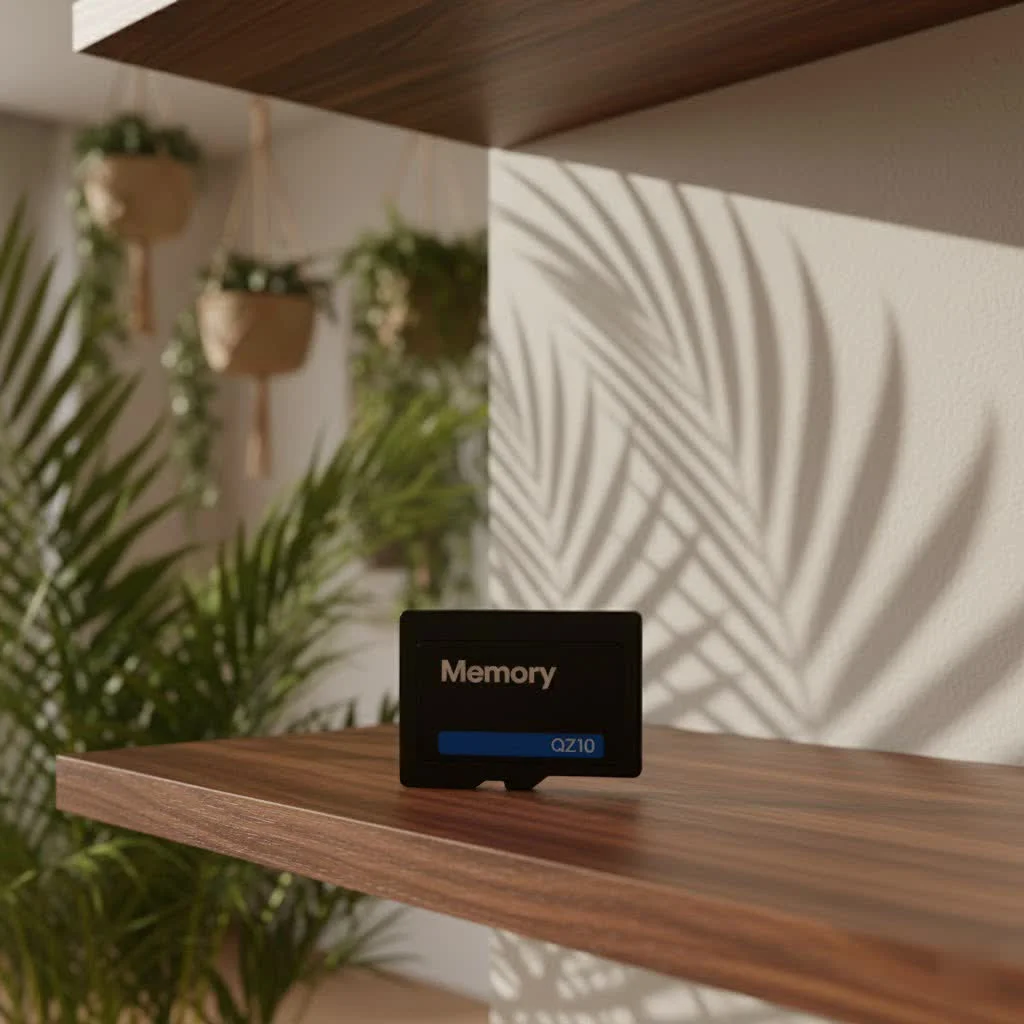
What Exactly is a Camera Memory Card Reader and Why Do You Need One?
At its core, a camera memory card reader is a compact electronic device designed to effortlessly access and transfer data stored on your camera’s memory card directly to another device, typically a computer or tablet. Think of it as a super-highway for your photos and videos, bypassing the often slower, more cumbersome route of connecting your camera itself via a cable. Instead of plugging in your camera, you simply remove the memory card, insert it into the reader, and voilà – instant access and rapid transfer. For compare top memory cards on this site.
Why is this little gadget so indispensable? For starters, it dramatically enhances data transfer speed. While connecting your camera directly might work for a few casual shots, professionals dealing with hundreds of high-resolution RAW images or hefty 4K/8K video files will find direct connections painfully slow. A dedicated reader, especially one with modern USB standards, can shave significant time off your transfer process. Beyond speed, using a card reader helps preserve your camera’s ports. Repeatedly plugging and unplugging a USB cable into your camera can lead to wear and tear over time, potentially causing costly repairs. A card reader takes that strain, keeping your camera’s hardware in pristine condition. It offers multi-device compatibility, allowing you to manage various card formats from different cameras or drones with a single versatile device, greatly simplifying your digital life.
Navigating the Landscape: Different Types of Camera Memory Card Readers
Just like cameras and lenses, memory card readers come in various shapes and sizes, each designed to meet specific needs. Understanding the different types will help you choose the perfect fit for your photography journey.
Single-Card Readers: Simple and Focused
These readers are straightforward, designed to support just one specific type of memory card, such as an SD card or a CompactFlash card. They are ideal for photographers who consistently use a single camera with a uniform card format. Their simplicity makes them easy to use, and they often come at a more affordable price point.
Multi-Card Readers: The Versatile Workhorse
|
Our Picks for the Best Memory Card in 2026
As an Amazon Associate I earn from qualifying purchases.
|
||
| Num | Product | Action |
|---|---|---|
| 1 | SanDisk 512GB Ultra microSDXC UHS-I Memory Card with Adapter - Up to 150MB/s, C10, U1, Full HD, A1, MicroSD Card - SDSQUAC-512G-GN6MA [New Version] |
![Check SanDisk 512GB Ultra microSDXC UHS-I Memory Card with Adapter - Up to 150MB/s, C10, U1, Full HD, A1, MicroSD Card - SDSQUAC-512G-GN6MA [New Version] on Amazon](https://srkaj.com/wp-content/plugins/amazon-tables/assets/images/buy.png)
|
| 2 | Amazon Basics Micro SDXC Memory Card with Full Size Adapter, A2, U3, Read Speed up to 100 MB/s, 256 GB, Black |
|
| 3 | SanDisk Ultra Plus 128GB SDXC UHS-I Memory Card |
|
| 4 | Amazon Basics microSDXC Memory Card with Full Size Adapter, A2, U3, Read Speed up to 100 MB/s, 1 Tb, Black |
|
| 5 | SanDisk 512GB Extreme microSDXC UHS-I Memory Card with Adapter - Up to 190MB/s, C10, U3, V30, 4K, 5K, A2, Micro SD Card - SDSQXAV-512G-GN6MA |
|
| 6 | SanDisk 128GB Extreme PRO SDXC UHS-I Memory Card - C10, U3, V30, 4K UHD, SD Card - SDSDXXD-128G-GN4IN |
|
| 7 | SanDisk 256GB Extreme SDXC UHS-I Memory Card - C10, U3, V30, 4K, UHD, SD Card - SDSDXVV-256G-GNCIN |
|
| 8 | 1TB Micro SD High Speed Memory Card for Car Navigation,Smartphone,Portable Gaming Devices,Camera and Drone |
|
| 9 | Amazon Basics Micro SDXC Memory Card with Full Size Adapter, A2, U3, Read Speed up to 100 MB/s, 512 GB, Black |
|
| 10 | Amazon Basics Micro SDXC Memory Card with Full Size Adapter, A2, U3, Read Speed up to 100 MB/s, 128 GB, Black |
|
For photographers who juggle multiple cameras, drones, or action cams, a multi-card reader is a major upgrade. These versatile devices typically feature several slots, accommodating a wide array of formats like SD, microSD, CompactFlash (CF), CFast, XQD, and CFexpress. The ability to read different card types from one hub not only reduces clutter but also streamlines your workflow, allowing you to manage files from all your devices efficiently.
Portable Card Readers: Your On-the-Go Companion
If you’re constantly on the move, shooting on location, or traveling, a portable card reader is a must-have. These are compact, lightweight, and designed to easily slip into your camera bag or even your pocket. Many portable readers feature robust casings to withstand the rigors of travel, ensuring your data transfer solution is always ready when you are. Some even come with built-in cables or direct USB plugs for ultimate convenience.
Built-in Readers: Convenient, But Often Limited
Many modern computers and laptops come equipped with integrated memory card slots, acting as built-in readers. While incredibly convenient for casual use, these often have limitations. They might only support common SD card formats and often don’t offer the blazing-fast transfer speeds found in dedicated external readers, especially for high-performance cards like UHS-II SD or CFexpress.
High-Speed Readers: Unleashing Your Card’s Full Potential
For professionals and enthusiasts working with large files – think high-resolution RAW files, 4K, or even 8K video – speed is paramount. High-speed readers leverage advanced connectivity standards like USB 3.0/3.1, USB 3.2 Gen 2 (10 Gbps), USB 3.2 Gen 2×2 (20 Gbps), USB 4 (40 Gbps), or Thunderbolt (40 Gbps). These readers are engineered to maximize the read and write capabilities of your fastest memory cards, dramatically cutting down transfer times and keeping your workflow running smoothly.
How to Choose the Perfect Camera Memory Card Reader for Your Needs
Selecting the right camera memory card reader might seem trivial, but making an informed choice can significantly impact your efficiency and creative output. Here’s what you need to consider:
Compatibility is King: Matching Your Cards and Reader
This is the golden rule: your reader must be compatible with the memory cards you use. Cameras today utilize various card types, including standard SD, microSD, CompactFlash (CF), CFast, XQD, and the newer CFexpress (Type A and Type B). Many SD cards also adhere to UHS-I or UHS-II standards, which dictate their speed capabilities. If you own a UHS-II SD card, for example, you’ll need a UHS-II compatible reader to unlock its full speed potential; otherwise, it will operate at the slower UHS-I speeds. Before buying, check your camera manuals or simply examine your cards to confirm their type and speed class.
Speed Matters: Don’t Let Your Workflow Crawl
If you’re serious about photography or videography, transfer speed is non-negotiable. Large files demand fast transfer rates. Look for readers that support the latest USB standards:
- USB 3.0/3.1 Gen 1: Offers speeds up to 5 Gbps.
- USB 3.1 Gen 2 / USB 3.2 Gen 2: Kicks it up to 10 Gbps.
- USB 3.2 Gen 2×2: A powerful option reaching 20 Gbps.
- USB 4 / Thunderbolt: The champions, delivering up to 40 Gbps.
the reader’s speed should ideally match or exceed the maximum read speed of your memory card. A super-fast card paired with a slow reader is like driving a sports car on a dirt track – you won’t get the performance you paid for. Pay attention to both read and write speeds listed for the reader and your cards, as write speed is crucial for how quickly your camera saves data, while read speed affects how fast you can offload it.
Connectivity: USB-A, USB-C, or Thunderbolt?
The connector type on your card reader determines how it plugs into your computer.
- USB-A: The traditional rectangular port, still common but less prevalent on newer, thinner laptops.
- USB-C: The reversible, oval-shaped connector is rapidly becoming the standard due to its versatility and ability to support faster data transfer, power delivery, and even video. Many high-speed readers now feature USB-C.
- Thunderbolt: Often shares the USB-C physical connector but offers even greater speeds and capabilities, ideal for the most demanding workflows.
Consider your computer’s available ports. If you have a modern laptop with only USB-C ports, a USB-C reader will offer a seamless experience without needing adapters.
Portability and Build Quality: Designed for Life on the Go
For photographers who work in diverse environments, the physical attributes of a card reader are important.
- Portability: Choose a compact and lightweight reader that easily fits into your bag if you travel frequently.
- Durability: Look for robust construction. Metal casings or reinforced plastic can offer better protection against drops and impacts, essential for a device that might see a lot of field use. A detachable cable can also be a plus, as damaged cables are easily replaced without replacing the entire reader.
Extra Features: What Else Should You Look For?
Some card readers offer additional functionalities that can further enhance your workflow:
- Simultaneous Reading: Advanced multi-card readers can read from multiple card slots at the same time, saving valuable time if you’re transferring data from several cards after a shoot.
- LED Indicators: Simple LED lights can indicate when a card is inserted, data is being transferred, or if there’s an error.
- SIM Card Slots: Some specialized readers even include slots for SIM cards, which can be useful for international travelers.
- OTG (On-The-Go) Support: Allows the reader to connect directly to compatible smartphones or tablets, perfect for quick backups or previews on the go without a laptop.
Expert Insight: Boosting Your Efficiency
“In my fifteen years working with memory cards and digital workflows, the one piece of gear that consistently gets overlooked, yet delivers immense value, is a quality camera memory card reader,” advises Alex Johnson, a seasoned photography workflow specialist. “It’s not just about getting your photos off the card; it’s about doing it quickly, safely, and efficiently, ensuring you spend less time waiting and more time creating.”
Frequently Asked Questions About Camera Memory Card Readers
Q: Can I just use my camera’s USB cable to transfer photos?
A: While you can use your camera’s USB cable to transfer photos, a dedicated camera memory card reader generally offers significantly faster transfer speeds and reduces wear and tear on your camera’s ports. For large files or professional workflows, a card reader is highly recommended.
Q: What’s the difference between a USB 3.0 and USB-C card reader?
A: USB 3.0 refers to a data transfer standard (up to 5 Gbps), often associated with the older, rectangular USB-A connector. USB-C refers to the physical connector type, which is reversible and can support various USB standards, including USB 3.2 Gen 2 (10 Gbps), USB 3.2 Gen 2×2 (20 Gbps), and even USB 4 (40 Gbps) or Thunderbolt, offering much faster speeds than basic USB 3.0 via USB-A.
Q: Do I need a special card reader for 4K video files?
A: Yes, if you regularly shoot 4K (or 8K) video, you’ll benefit greatly from a high-speed card reader that supports modern USB standards like USB 3.2 Gen 2 or higher, and is compatible with your high-speed memory cards (e.g., UHS-II SD, CFast, CFexpress) to ensure rapid data transfer.
Q: Can a card reader recover lost files?
A: A memory card reader itself doesn’t recover lost files. However, it’s an essential tool that allows you to connect your memory card to a computer, where you can then use specialized data recovery software to attempt to retrieve accidentally deleted or corrupted files.
Q: Are all multi-card readers equally fast?
A: No, the speed of multi-card readers varies significantly. Just like single-card readers, their speed depends on the USB interface they utilize (e.g., USB 2.0, USB 3.2 Gen 2) and the specific memory card formats they support. Always check the listed transfer speeds and connectivity options to ensure it meets your performance needs.
Conclusion
A camera memory card reader is far more than just an accessory; it’s a vital component of any photographer or videographer’s workflow. By offering faster data transfers, protecting your camera’s delicate ports, and providing versatile compatibility across various card formats, a well-chosen reader empowers you to spend less time on logistics and more on your creative passion. Investing in the right camera memory card reader means unlocking peak efficiency, ensuring your valuable captures are moved securely and swiftly, and ultimately, elevating your entire digital experience. So, take the time to choose wisely – your workflow will thank you.
Frequently Asked Questions
Can I use my camera's USB cable to transfer photos?
While you can use your camera's USB cable, a dedicated camera memory card reader offers significantly faster transfer speeds, often up to 40 Gbps, and reduces wear and tear on your camera's ports. For large files or professional workflows, a card reader is highly recommended to improve efficiency.
What is the difference between USB 3.0 and USB-C card readers?
USB 3.0 refers to a data transfer standard offering speeds up to 5 Gbps, typically with a USB-A connector. USB-C is a physical connector type that is reversible and can support various USB standards, including much faster ones like USB 3.2 Gen 2 (10 Gbps) or USB 4 (40 Gbps).
Do I need a special card reader for 4K video files?
Yes, for 4K or 8K video files, a high-speed card reader is highly beneficial. Look for readers supporting modern USB standards like USB 3.2 Gen 2 or higher, compatible with high-speed memory cards such as UHS-II SD, CFast, or CFexpress, to ensure rapid data transfer.
Can a memory card reader help recover lost files?
A memory card reader itself does not recover lost files. However, it is an essential tool that connects your memory card to a computer, allowing you to use specialized data recovery software to attempt retrieval of accidentally deleted or corrupted files.
Are all multi-card readers equally fast for different card types?
No, the speed of multi-card readers varies significantly based on their USB interface (e.g., USB 2.0, USB 3.2 Gen 2) and the specific memory card formats they support. Always check the listed transfer speeds and connectivity options to ensure it meets your performance needs for various card types.
Choose the Perfect Camera Memory Card Reader
Selecting the right camera memory card reader involves considering compatibility, speed, connectivity, and portability to optimize your photography workflow.
Ensure the reader supports your specific memory card types, such as SD, microSD, CompactFlash, XQD, or CFexpress. If you use UHS-II SD cards, confirm the reader is UHS-II compatible to achieve full speed potential.
For large files like RAW images or 4K video, choose readers supporting modern USB standards like USB 3.2 Gen 2 (10 Gbps) or USB 4 (40 Gbps). The reader's speed should match or exceed your memory card's maximum read speed for optimal performance.
Select a reader with a connector type (USB-A, USB-C, or Thunderbolt) that matches your computer's available ports. USB-C and Thunderbolt offer faster speeds and greater versatility, especially for newer laptops.
If you travel frequently, opt for a compact, lightweight reader with robust construction, such as metal casing, to withstand field use. A detachable cable can also be beneficial for easy replacement.
Get our weekly buyer guide
Practical specs, not advice. Unsubscribe anytime.

This guide really helped me understand why I needed a dedicated card reader instead of just plugging my camera in. I was always worried about wearing out the camera’s port, and now I have peace of mind. My only minor gripe is that I wish the reader I bought supported more card types, but for my SD cards, it’s perfect.
As a videographer, file transfer speed is everything. I used to dread offloading footage, but with a Thunderbolt-compatible reader, it’s a breeze. The efficiency it brings to my post-production is incredible. No more waiting around for huge video files to transfer!
I’ve been using a cheap reader for ages and finally upgraded after reading about the speed differences. The jump to 40 Gbps with my new USB 4 reader is insane! My workflow for wedding photos has improved so much, it’s actually saving me hours every week. Definitely worth the investment for any serious photographer.
I picked up a new reader based on the info here, and while it’s faster than connecting my camera directly, I’m not seeing the super-highway speeds mentioned. Maybe my computer’s USB ports are the bottleneck, or I just expected too much. It’s an improvement, but not the dramatic change I was hoping for.